
Included voices or your own voice?
The included narrator needs no setup and costs nothing extra. Choose your own voice when hearing you matters, for example on nights you're away, and you're comfortable with a voice sample going to outside AI providers.
| Detail | Standard narration | Narration in your voice |
|---|---|---|
| Cost | Included in every story | +1 credit per story |
| Setup | None. Pick the female or male narrator in the creator | Record at least 10 seconds in Settings first |
| Whose voice | A standard AI voice (Kokoro model, via fal.ai) | An AI imitation of the first voice saved on your account (MiniMax, via fal.ai) |
| Pace | Slower for calm themes such as bedtime, quicker for adventure themes | Your cloned voice's own pace |
| When it's chosen | Before you press Generate | Before you press Generate; can't be added later |
| If it can't be made | The story isn't completed and no credits are taken; try again | The story is narrated with the standard voice instead, and the extra credit is still counted; contact support |
In the creator, the two standard narrators are labelled “Mom's Voice” and “Dad's Voice”. They are the female and male AI voices, not recordings of a parent. Your own voice is a separate option that only unlocks once a voice is saved. Setup, cost and how the sample is stored are on the narration in your voice page.
How playback works in the online reader
Press the play button at the bottom of the reader. Narration starts at the page you are on and plays each text page's recording in order. When a recording ends, the reader waits half a second, turns to the next text page and keeps going until the story ends. Press again to stop. Pressing play again starts the current page from the beginning, not from the middle of a sentence.
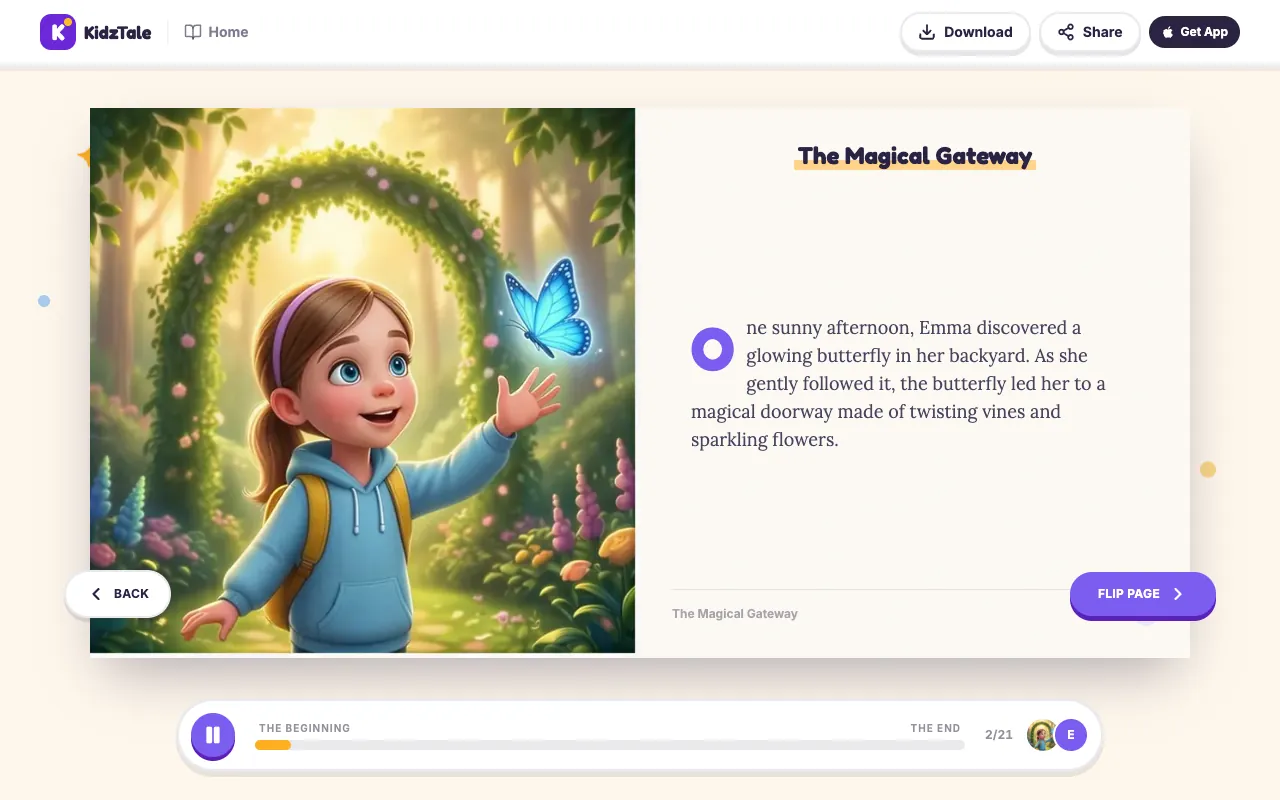
Each recording covers one text page of two or three sentences. In the demo story the nine recordings run from about 10 to 17 seconds each, a little over two minutes in total. A 16-page story has 16 recordings, so it takes longer to hear.
The reader only plays the recordings saved with the story. If a page's recording is missing or won't load, playback stops and the reader shows a message asking you to try again. It doesn't switch to your device's built-in voice or skip the page silently.
Which devices can play it?
- Web browsers on a phone, tablet or computer: open your story in the online reader while signed in. The recordings stream, so you need a connection.
- The iPhone app: narration plays even with the ring/silent switch set to silent. It stops if you leave the app. Picture pages stay on screen for about three seconds before the next text page is read. If a page has no saved recording, the app asks KidzTale's server to read that page in the standard female voice, so it may sound different from the rest.
- Android: there is no Android app. Use the online reader in your browser.
- The printed or downloaded PDF has no sound. Read it aloud yourself, or play the online reader alongside it. See the printing guide for the PDF itself.
What happens to the story text
To make the recordings, each page's text, including your child's name, is sent to a text-to-speech model through fal.ai. The audio files are stored by fal.ai and linked from your story. Your private story page requires the account that made it, but provider-hosted recording links can be accessible to anyone who has the link. Avoid sharing those links if you want to keep the audio private. The privacy policy explains how story data and voice samples are kept and how to ask for deletion.
Limits of the narration
- Narration is in English only, like the stories.
- It is AI speech. Names from other languages may not be pronounced the way your family says them, and there is no way to correct a pronunciation.
- Narration can't be edited, re-recorded or added after the story is made.
- There is no background music. Apart from a short page-turn sound in the web reader, the audio is the voice alone. Animated illustrations are silent clips.
- No complete-audiobook export, supported offline player or dedicated smart-speaker integration.
See everything a story includes on all features, follow each step of how KidzTale works, or check credit prices.